Find your bearings
Separate house numerals and Rashi labels make the structure clear. Follow the familiar counterclockwise sequence, with subtle shading for the Kendra houses.
Bring houses, Rashis, Nakshatras, Pada, Drishti and Gochar together in one interactive circular chart. Explore the detail without losing the bigger picture.
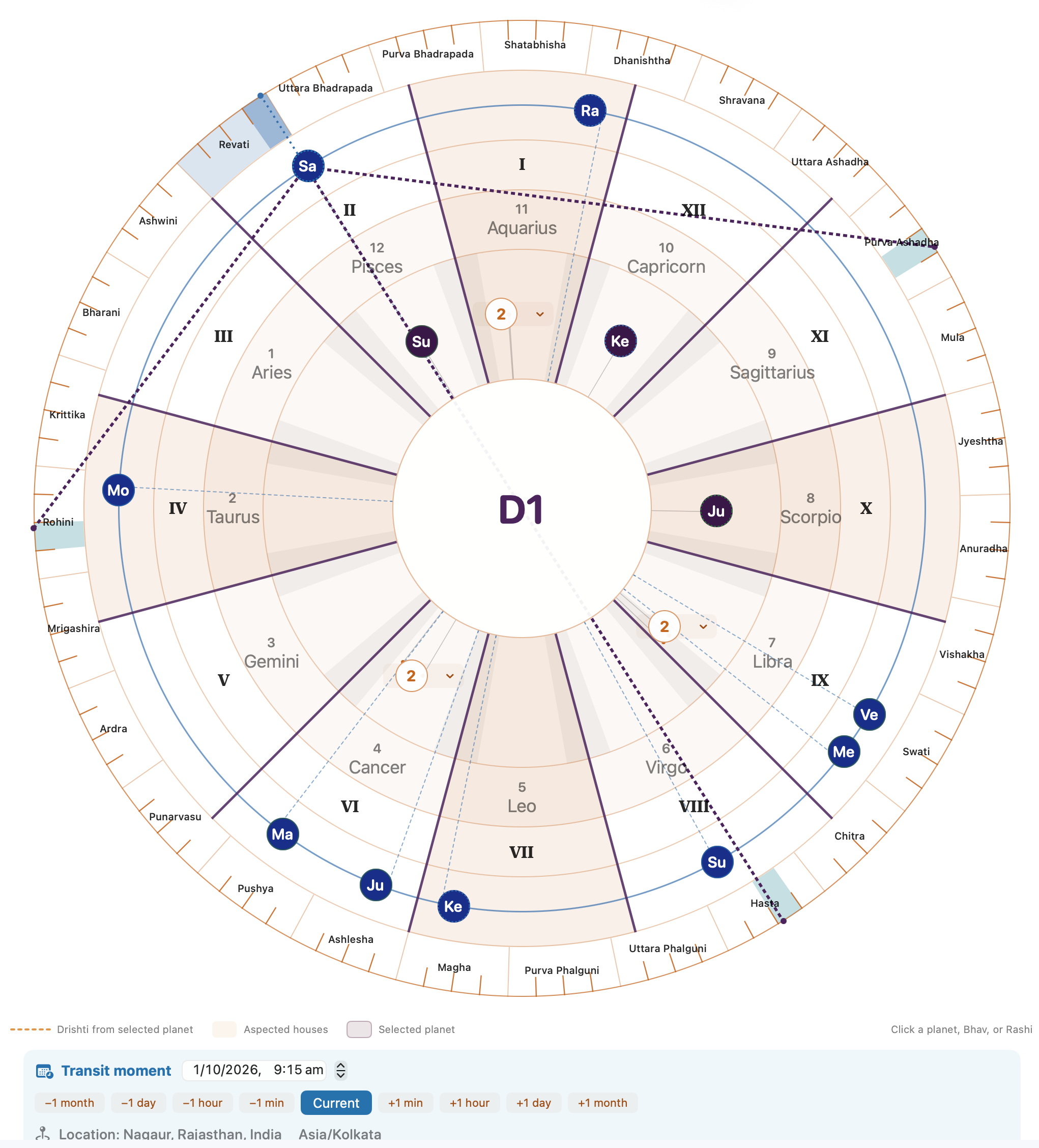
Actual Mac app screenshot · example chart, not a live calculation
See placement and relationships together.
House I at the top; read counterclockwise.
Switch to the North Indian Square chart.
Start with the familiar house and sign placement. Then select a planet to reveal its exact position and the details behind the visual.
Separate house numerals and Rashi labels make the structure clear. Follow the familiar counterclockwise sequence, with subtle shading for the Kendra houses.
Select a planet to inspect its exact degree, Nakshatra, Pada and motion. The outer ring gives those details a visible place in the zodiac.
Explore selected Drishti guides and add the supported Gochar overlay. Separate birth and transit tracks keep the two moments distinct.
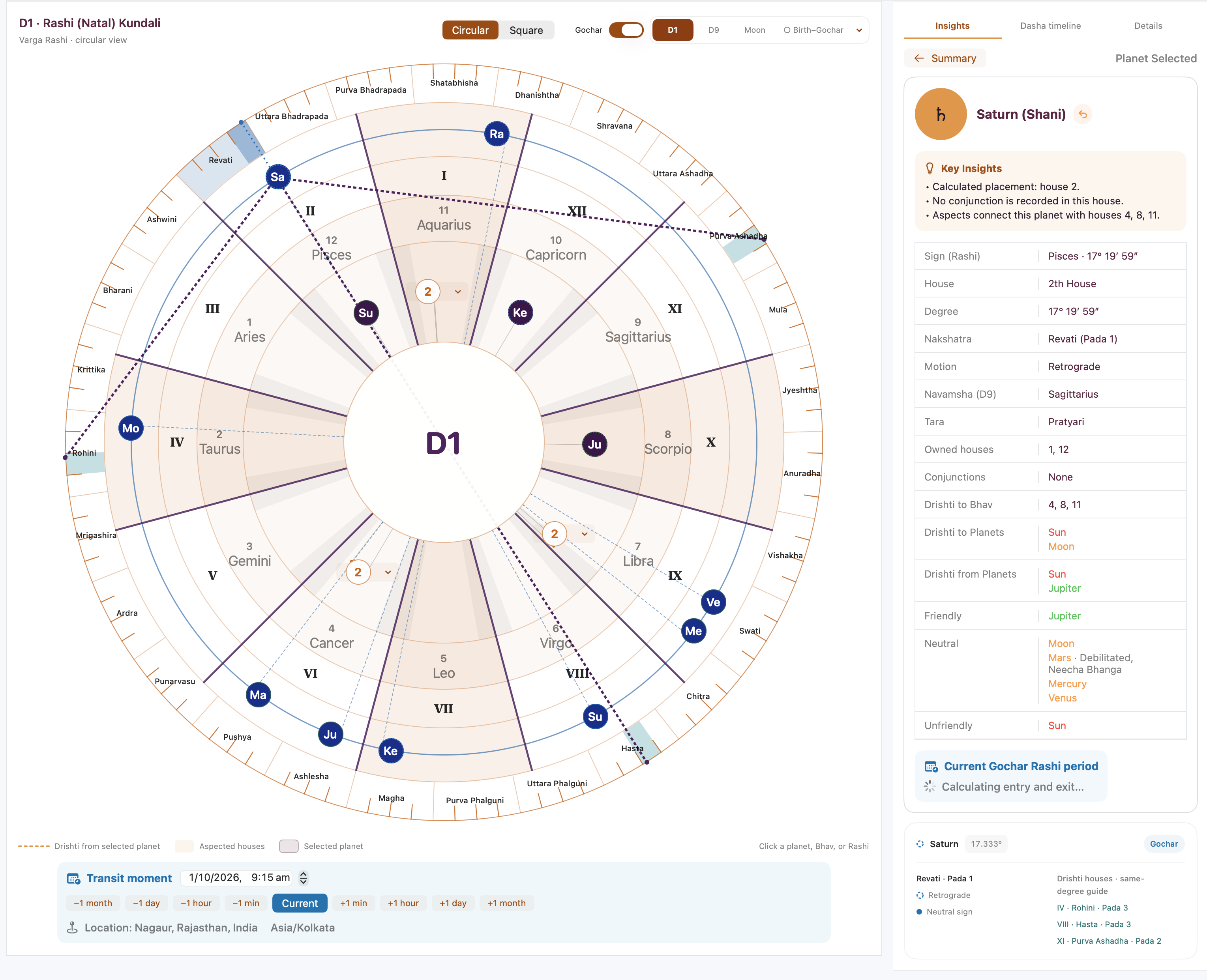
The wheel helps you see the relationships. The details panel helps you verify them.
Use both presentations of the same selected chart. Changing the layout does not change your saved birth information or the calculation.
A connected view of houses, signs, degree anchors and the Nakshatra/Pada ring. Selected Drishti guides and separate transit tracks support deeper visual study.
The familiar fixed-house arrangement for practitioners who prefer traditional compartment-based reading. Switch back whenever it suits your workflow.
A different presentation—not a new Jyotish system, and not a claim of greater calculation accuracy. Gochar overlays are supported in D1 and Moon Rashi; other variants have their own reading distinctions.
Move between natal study, transit context and technical comparison without losing sight of your chart.
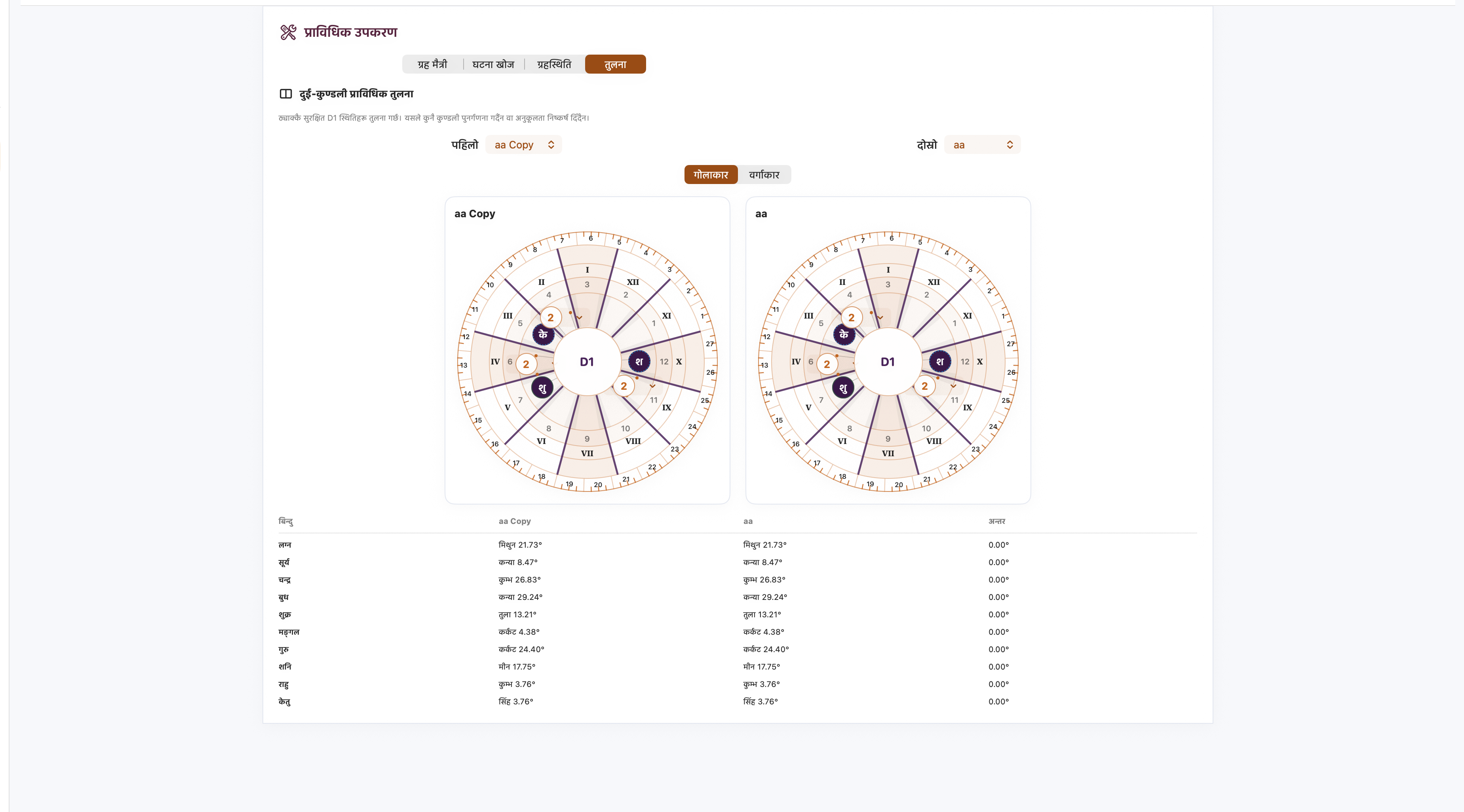
No. The circular chart is a presentation of the app’s existing chart data. Start at House I and read counterclockwise. Roman numerals identify houses; ordinary numbers identify Rashis.
Yes. Circular and North Indian Square remain companion views. Switching layouts does not recalculate the saved birth chart.
They show the selected planet’s calculated whole-house targets, with same-degree visual projections into the target Rashis. The projected Pada highlights are reading aids—not a new exact-degree aspect rule.
No. In a supported natal overlay, birth positions remain fixed and Gochar planets appear on a separate track. Standalone Gochar uses its own current Ascendant reference.
Visit Help & Support for quick guidance and contact information. The full circular-chart guide is available in English, Hindi and Nepali.
A clear visual workspace for Jyotish study on Mac.
Vedic Insight is a technical and educational Jyotish workspace for macOS. Illustrations show example app screens; controls and appearance may vary by version. This page does not promise predictive outcomes or universally exact calculations.